Step 1 · Project & Aurora
Step 1 establishes the project foundation. The user confirms that the imported Aurora design is attached to the correct JobEngine project and that the permit, production, financing, and high-level equipment scope are ready for downstream design work.
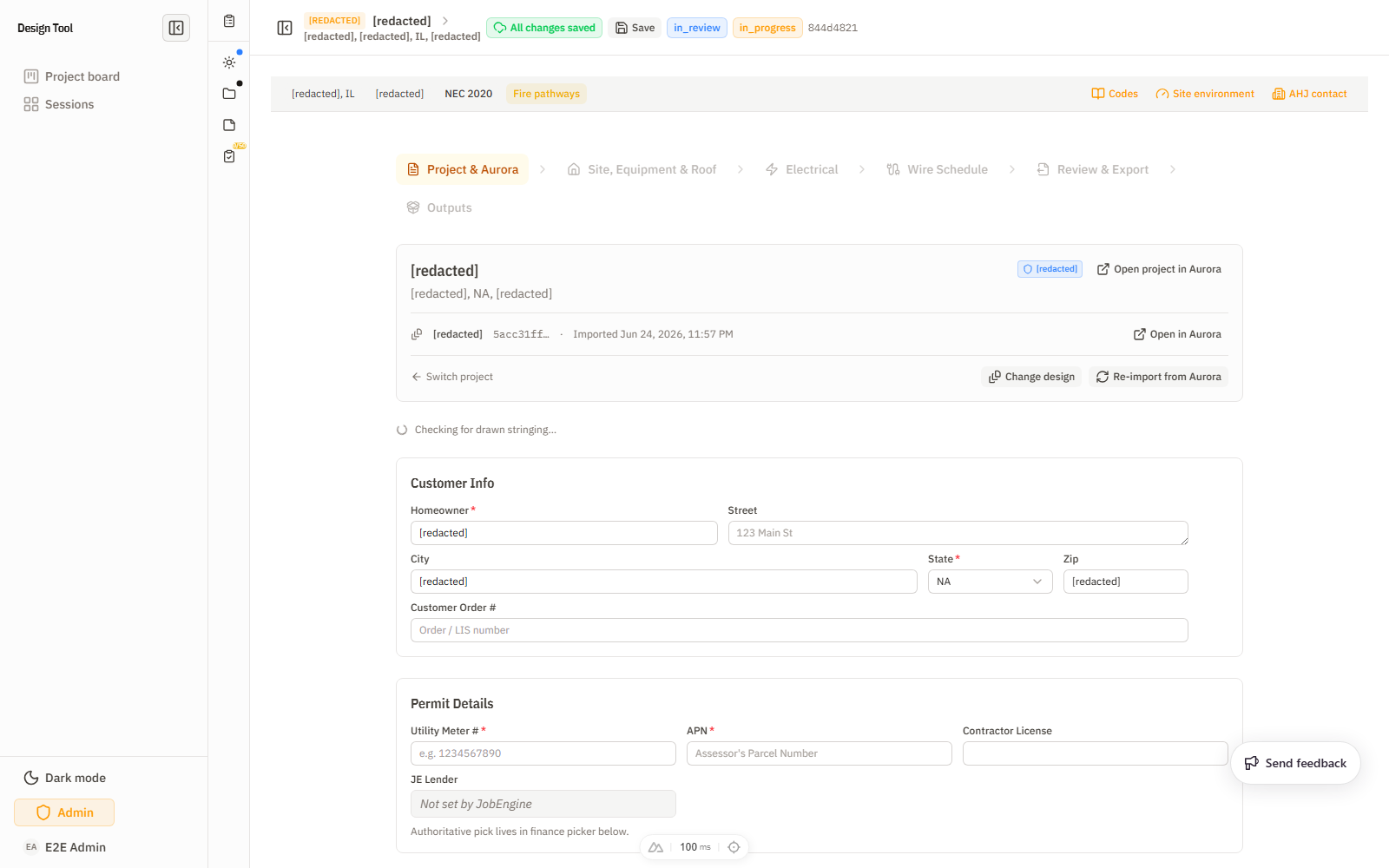
What trips people here: the Equipment Reconciliation table — an unexplained mismatch between the JobEngine sold quantity, the Aurora design, and the selected finance pack (Module / Inverter / Battery columns) is the most common reason a job stalls before Step 2. Resolve it here (re-import, change design, or align with the pack) rather than carrying the discrepancy forward. For ESS jobs, also set Backup Scope before advancing — several Step 3 backup features key off it.
What To Check
- The homeowner/project identity matches the intended job.
- The Aurora design ID and import timestamp are the expected design.
- Customer info and permit details are complete.
- Utility, AHJ, and applicable code context look correct.
- Production check fields are present and reasonable.
- Financing company, backup scope, domestic-content tier, and racking system are correct.
- Equipment reconciliation does not show an unexplained mismatch between JobEngine, Aurora, and the selected pack.
Important Controls
- Project identity panel: switch project, change design, or re-import from Aurora.
- Customer Info fields: homeowner, street, city, state, zip, and order number.
- Permit Details fields: meter number, APN, contractor license, and lender display.
- Production Check fields: annual utility bill kWh, design kWh, offset cap, and system-size cap.
- Financing & Energy Storage controls: PV scope, backup scope, finance company, and equipment reconciliation.
- Free Select controls: domestic-content tier, racking system, and TPO-pack option.
- Context drawers: codes, site environment, AHJ contact, utility profile.
Feeds Next
Values confirmed here become defaults and constraints for Step 2. The physical equipment list, finance/racking configuration, project codes, AHJ, utility, and production context all shape the roof, equipment, and electrical decisions later in the wizard.
Short Clip
A short walkthrough of Project & Aurora: