Step 5 · Review, Export & Outputs
Step 5 is the final review surface before generated outputs. The user reviews the bill of materials, checks construction-review state, and exports BOM data for downstream fulfillment or handoff.
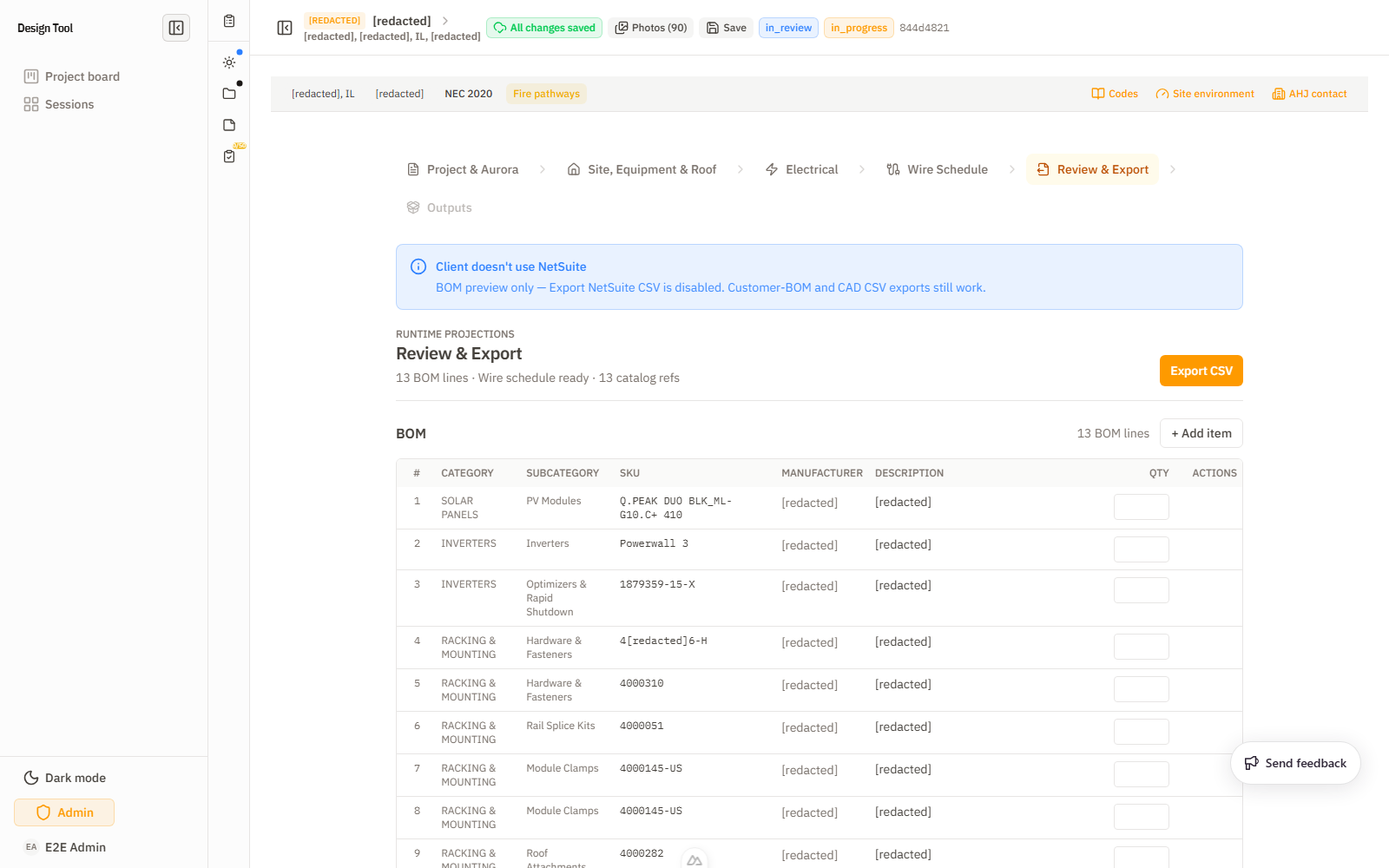
What trips people here: a BOM banner like
23 BOM lines · N missingmeans N lines have no catalog/SKU match — chase those down before exporting, since a missing line ships an incomplete permit BOM. The second export button's label varies by client regime (e.g. an LGCY client shows "Export LGCY BOM CSV"), so it's the same action under a different name. And open Construction Review issues before handoff — an unresolved issue here is what a reviewer bounces the package for.
What To Check
- BOM line count and catalog reference count are expected.
- BOM categories make sense for the design: PV modules, inverters, storage, racking, electrical/BOS, and any rapid-shutdown or monitoring lines.
- Quantities match the confirmed equipment and racking scope.
- Construction-review notes or outstanding checklist items are understood.
- Export buttons produce the expected CSV artifacts.
- Final Outputs step has the generated permit artifacts when applicable.
Important Controls
- Export NetSuite CSV (disabled for clients that don't use NetSuite — shows "BOM preview only").
- Export Customer BOM CSV (the second BOM-export button; its label varies by client regime — e.g. an LGCY client may show an LGCY BOM CSV export).
- BOM table grouped by category (e.g. "23 BOM lines · N missing").
- Quantity spinbuttons.
- Add item.
- Construction Review section.
- Previous/Next navigation into Outputs.
Outputs
Depending on session status and finalization, outputs may include:
- Planset PDF.
- BOM permit/customer exports.
- Wire schedule.
- Spec sheets.
- Construction review packet.
- NetSuite/LGCY CSVs.
- CAD/plugin projection outputs.
Short Clips
A short walkthrough of review & export: